Receive email notifications when daily data usage of IoT SIMs exceeds specified thresholds, including data usage for the past 5 days. This assumes the use of Event Handler.
Overview
This app template notifies you by email when the data usage of IoT SIMs owned by a customer (operator) exceeds a threshold, along with data usage for the past 5 days. This app helps with:
The destination email address, email content, and threshold can be changed through configuration.
Email Example
The sent email will contain content like:
Operator: OP0012345678's data usage has exceeded the specified value.
Data usage for the past 5 days is as follows:
2025/6/11: Upload 149 MiB, Download 402 MiB
2025/6/12: Upload 166 MiB, Download 1089 MiB
2025/6/13: Upload 70 MiB, Download 181 MiB
2025/6/14: Upload 103 MiB, Download 828 MiB
2025/6/15: Upload 65 MiB, Download 478 MiB
2025/6/16: Upload 255 MiB, Download 81 MiB
Estimated Costs
Initial Costs
Item | Cost | Notes |
|---|---|---|
SORACOM IoT SIM | From 902 yen |
Monthly Costs
Item | Estimated Cost for This App | Notes |
|---|---|---|
SORACOM Flux | Up to 3.41 yen/month (*1) |
The following is an estimate and actual costs may vary depending on your usage. For accurate pricing, please refer to usage details in the User Console.
Preparation
Before deploying this template, prepare the following:
For details, refer to SORACOM’s documentation on Email Settings.
Creating the App
You can set the destination email address when creating the app.
Select a verified destination email address from the [Select email address] button.
Post-Creation Tasks
Event Handler Configuration
Configure an event handler with data usage as the threshold. Refer to SORACOM’s documentation on Event Handler for setting up the event handler. For the rule, select Sim Daily total traffic, and for the action, select Execute web request. Specify the Incoming webhook URL of the event input channel as the URL.
Confirm the incoming webhook URL
-
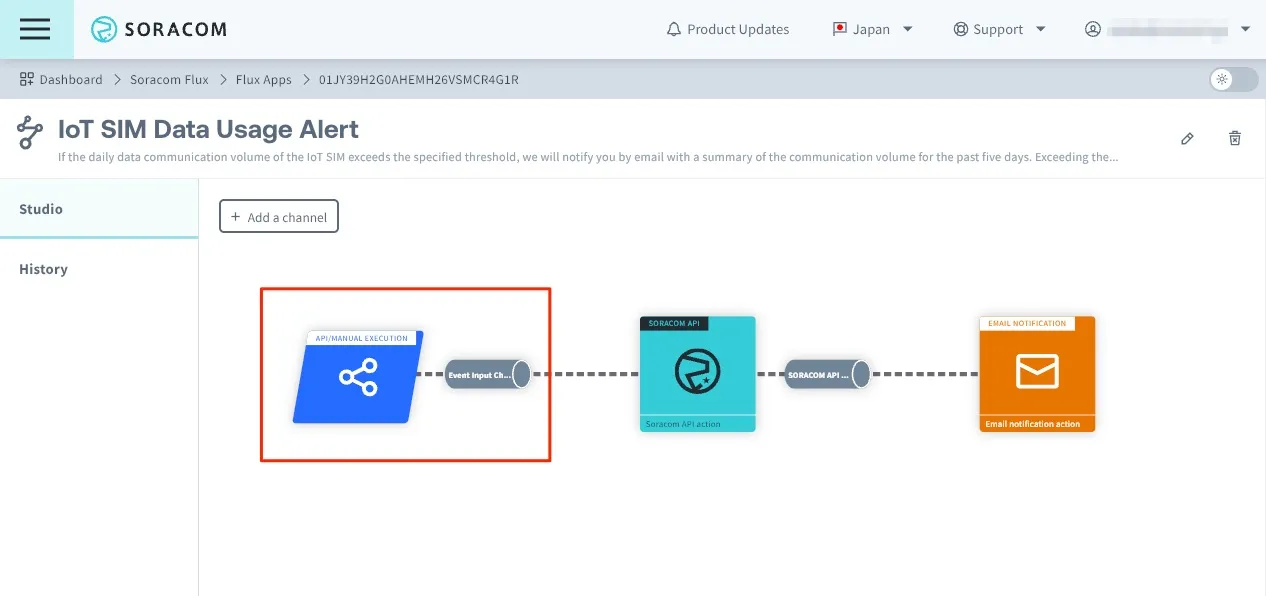
Click on Event Input Channel.
-
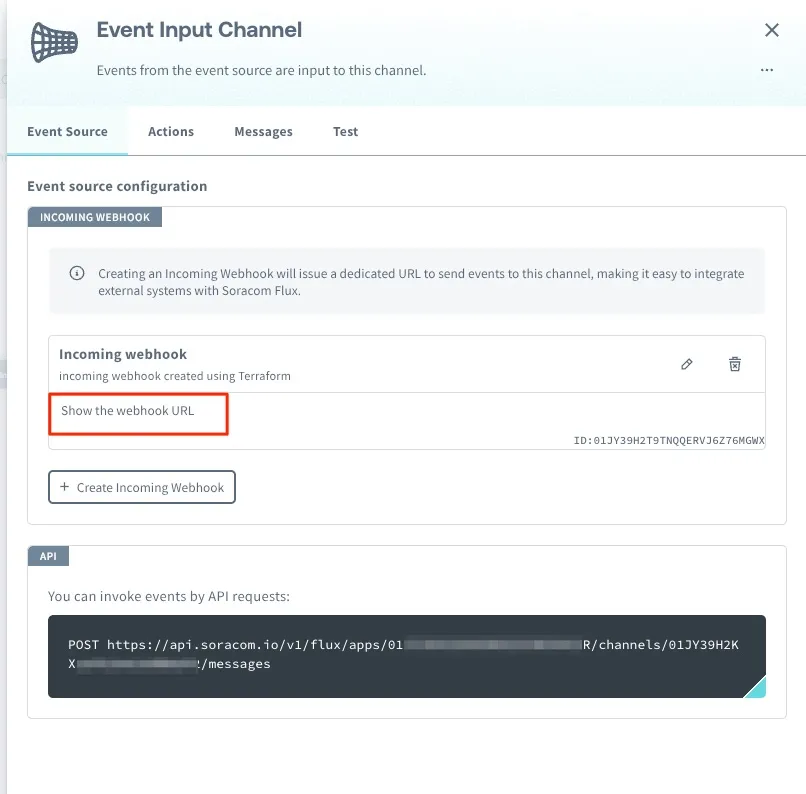
Click on Show Webhook URL.
-
Copy the Webhook URL.
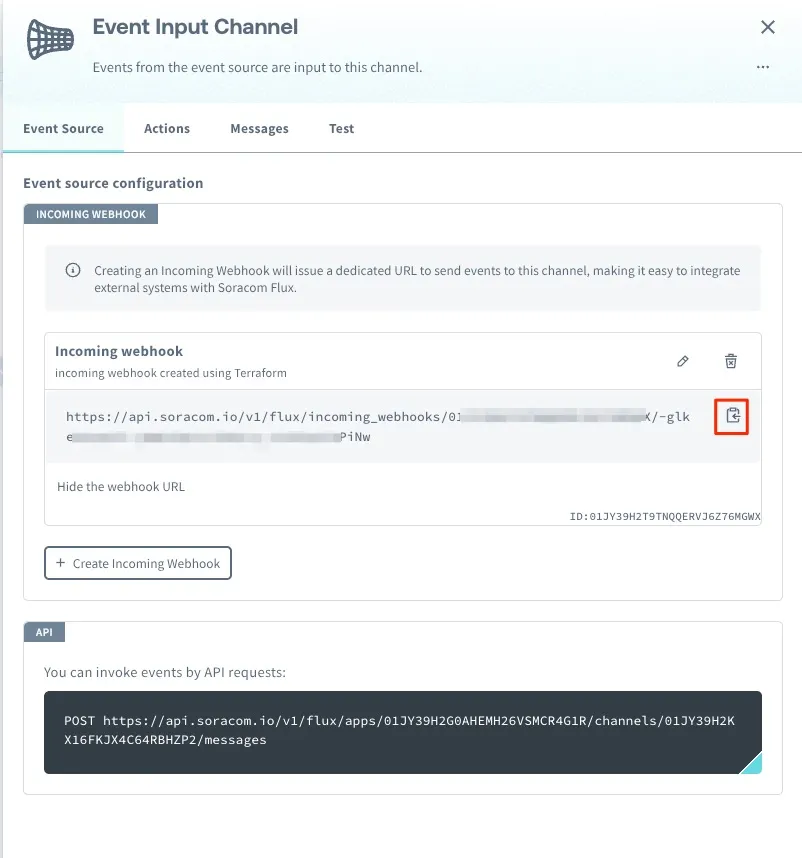
Set the copied Webhook URL in the event handler’s action Send a request to a specified URL.
Customization
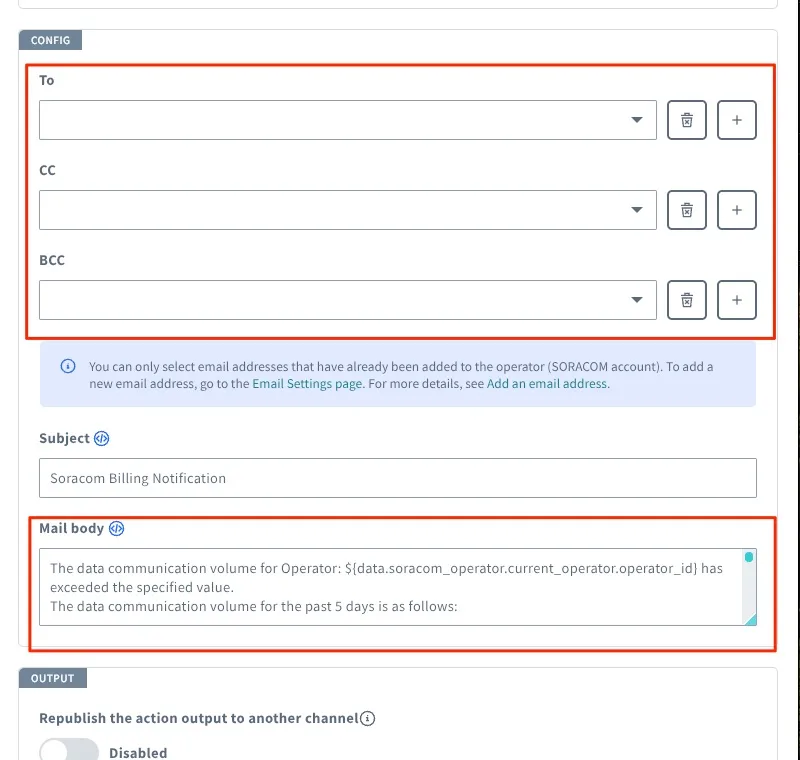
You can change the email content template in the email notification action settings screen.
-
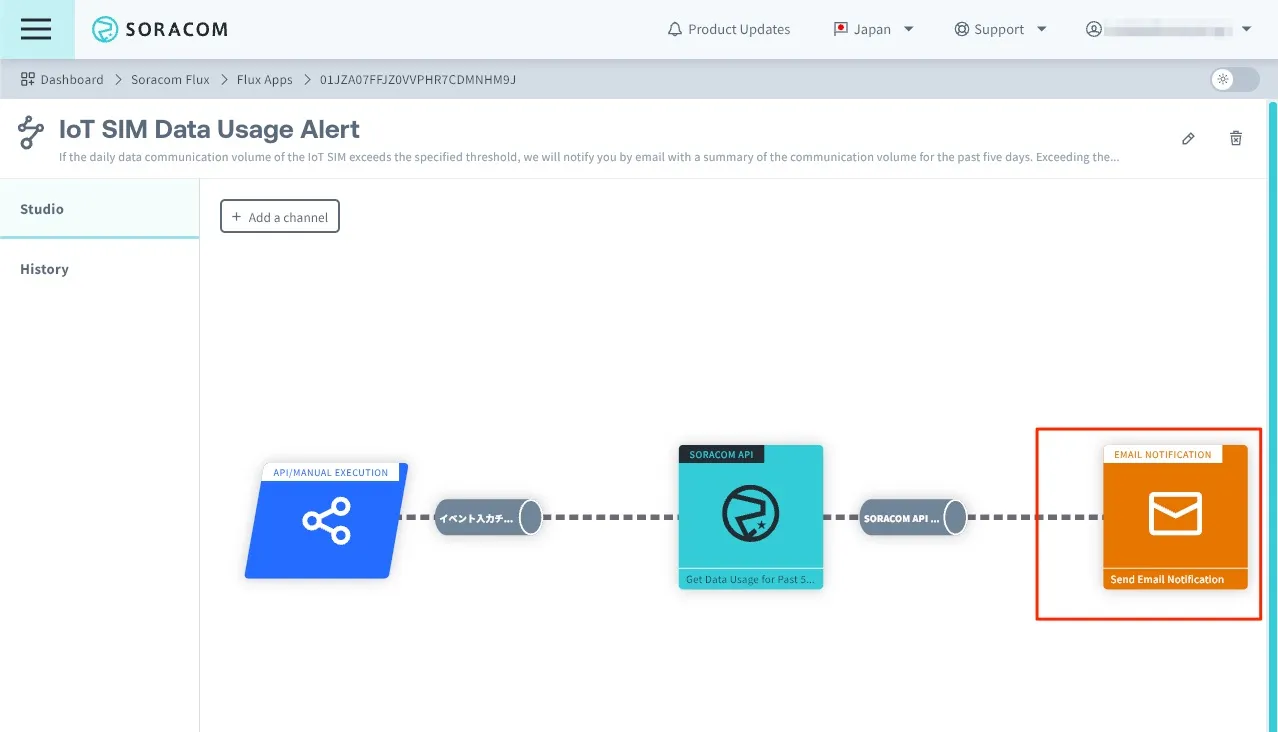
Click the [EMAIL Notification] action in Flux Studio.
-
Update the email destination and body from [CONFIG].
Troubleshooting
If it’s not working properly, check the app’s execution history. For details, refer to View Logs.